The meeting recap nobody has to write
Site teams spend two or three hours a morning saying out loud what changed. Every change was already logged, and nobody could read the log. I turned it into a report that writes itself and reaches people without a login.
- VisiLean
- Product design, reporting and automation
- 2 January 2026
- 6 min
Construction teams change dozens of things a day: a status, a date, a zone, who owns a task. Most of that gets re-explained out loud in a long morning meeting. This turns the record the system already keeps into a report people can read instead.
A log is not a report
Every one of those changes is already logged. But nobody can scan a log, nobody outside the platform can open it, and so the information gets repeated in a meeting or lost.
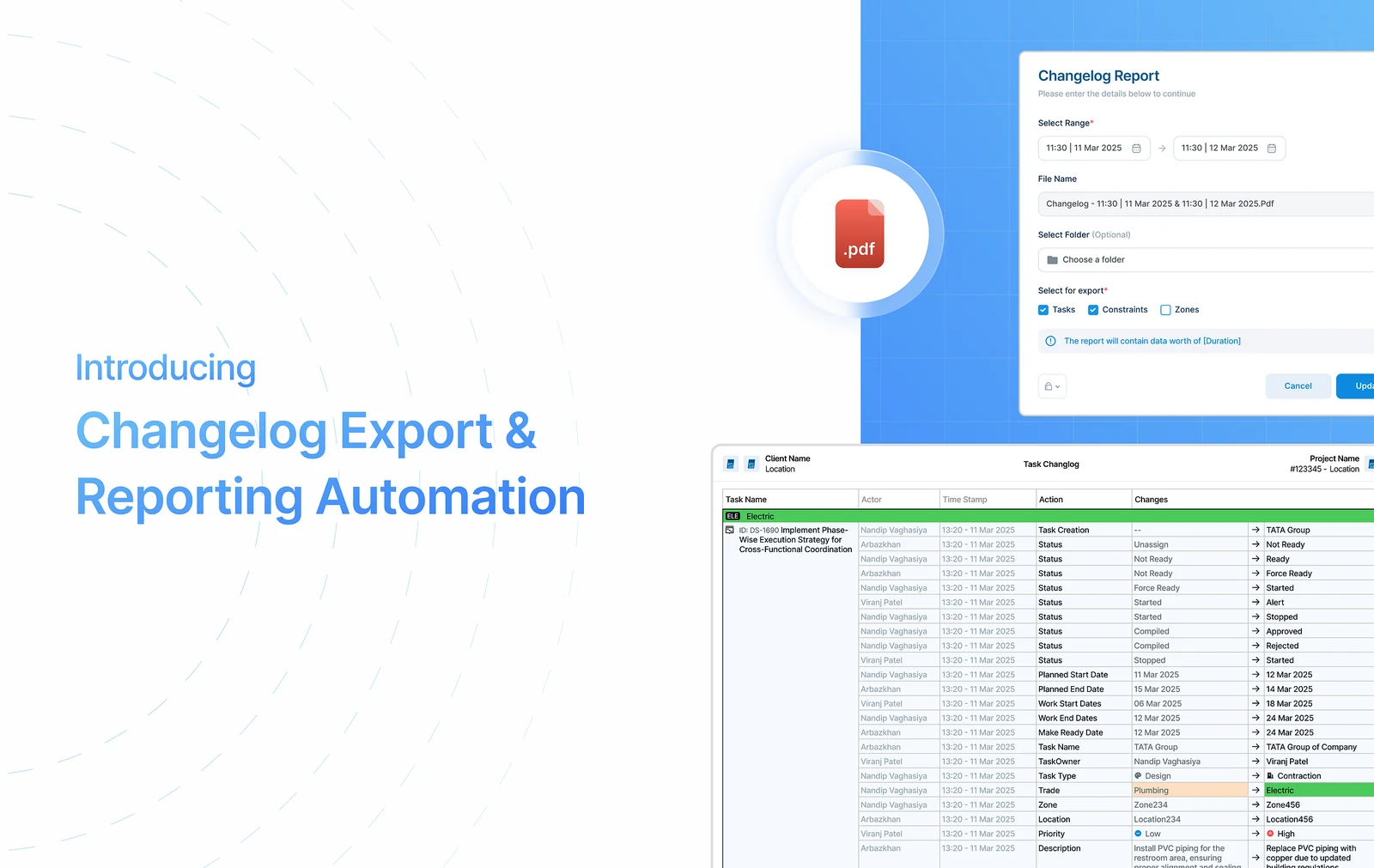
From "what changed today?" to "here is everything that changed, already written up."
Meetings that run two or three hours
On a construction project, change is the normal state. Tasks move, dependencies shift, constraints appear and get cleared, zones and owners change.
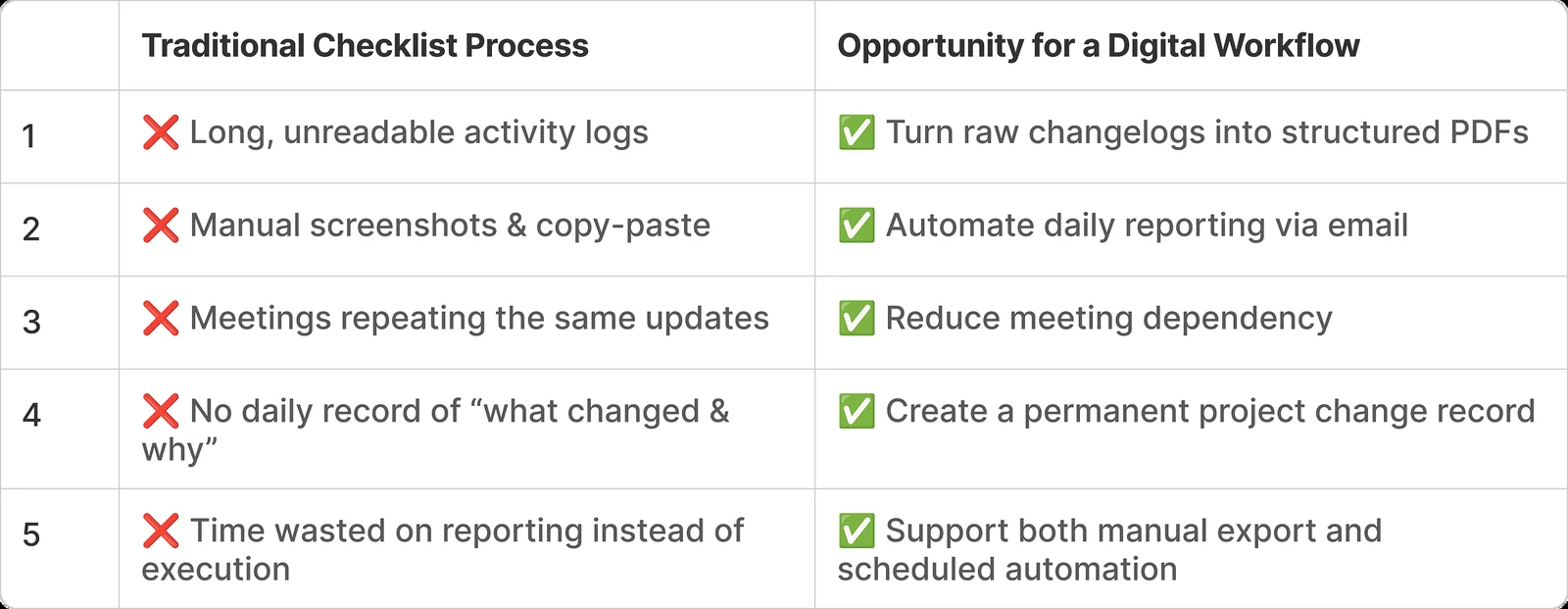
Teams keep up with that through daily meetings that run two or three hours, spoken updates, notes taken by hand, and a lot of scrolling through activity logs.
Nobody was short of data
The platform did store every change. But that record was:
- Hard to scan
- Hard to summarise
- Impossible to share with anyone who does not have a login
- Not in a shape you could hand to an audit
What was missing was a version of it a person could read.
A manual export and an automatic report
Two features that work together but do not depend on each other.
Changelog export
- Run it yourself, when you want it
- For a question that came up today
- You choose the range and the filters
Reporting automation
- Runs on a schedule, with nobody driving
- For the update that has to land every week
- The saved report is what makes this possible
Four people, one export
How it runs end to end
From a log to an inbox
1. Export a changelog by hand
Found in Takt View → Export. You pick a date and time range, choose what to include (task changes, constraint changes, zone changes) and export a PDF.
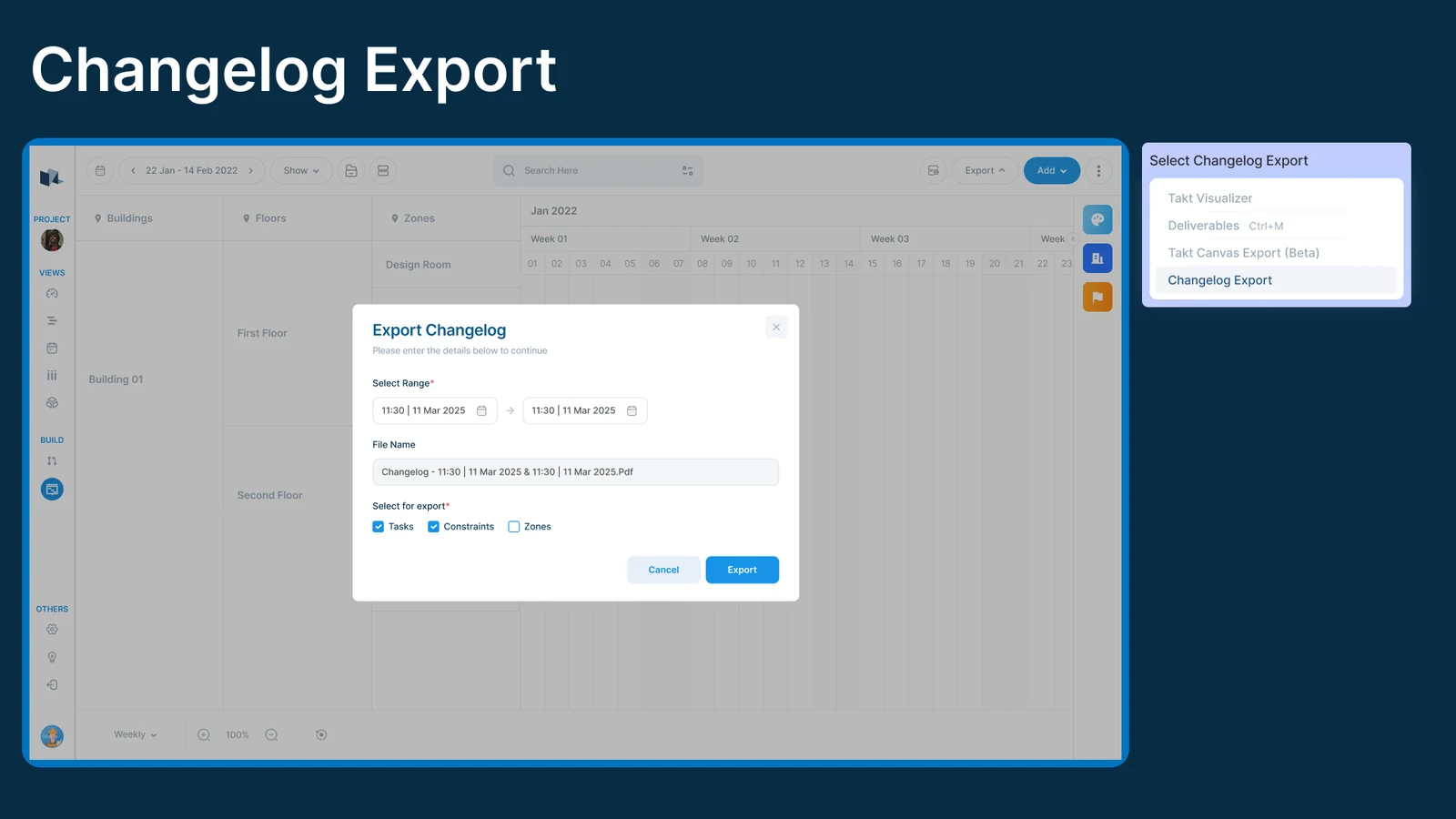
One decision worth calling out: the file names itself, from the range you picked.
Changelog, 11:30 11 Mar 2025 to 11:30 12 Mar 2025.pdf
Nobody has to invent a name, and two people exporting the same thing get the same file name. A clean PDF in a few seconds.
2. A saved report, which is what makes automation possible
Found in Reports → Add → Changelog Report. You set the time range, what it covers, and where it is filed. The report name is generated and cannot be edited, so reports stay consistent when several people are making them.
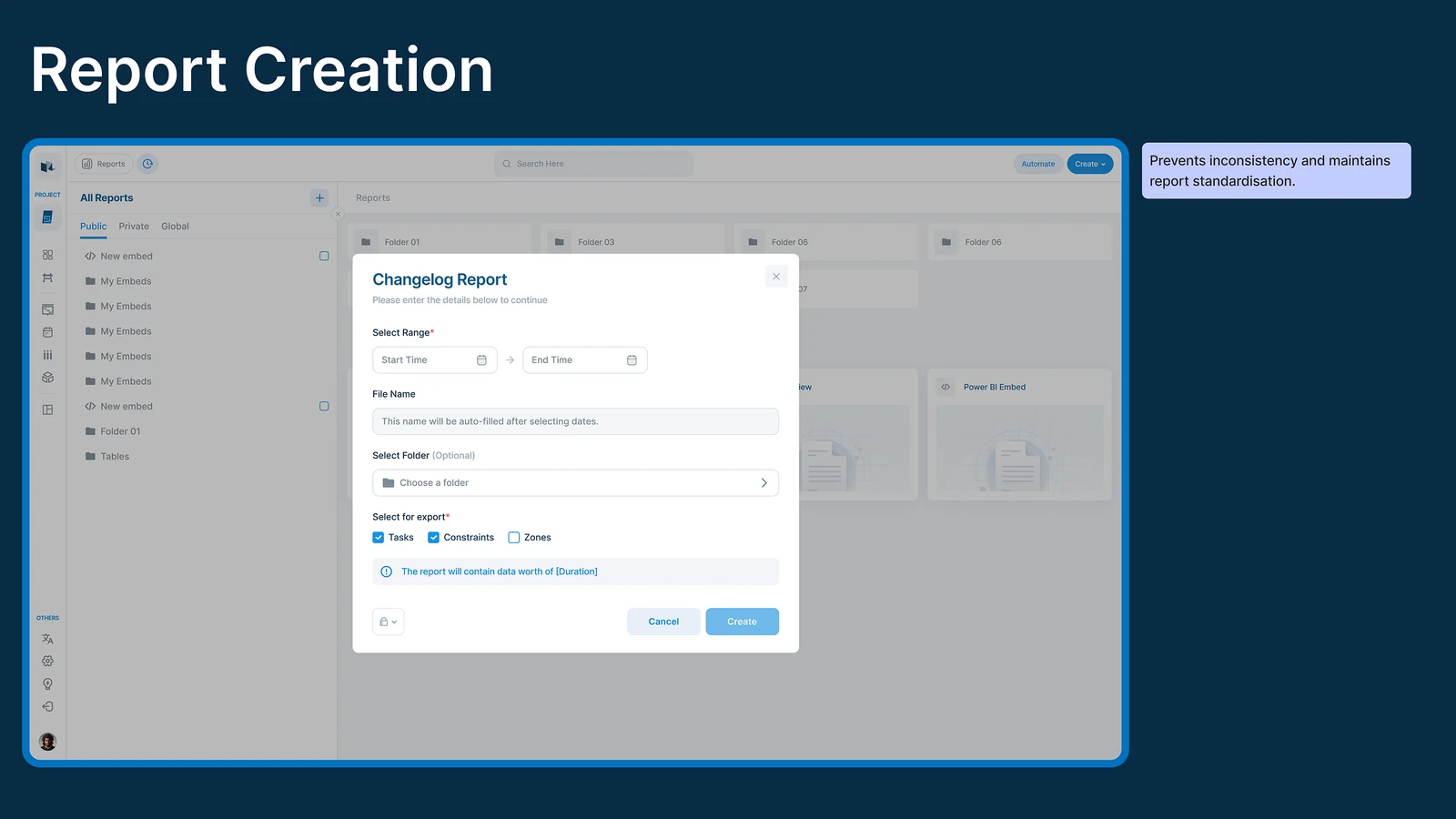
3. Turning it into something automatic
Once a report exists, it can run on its own.
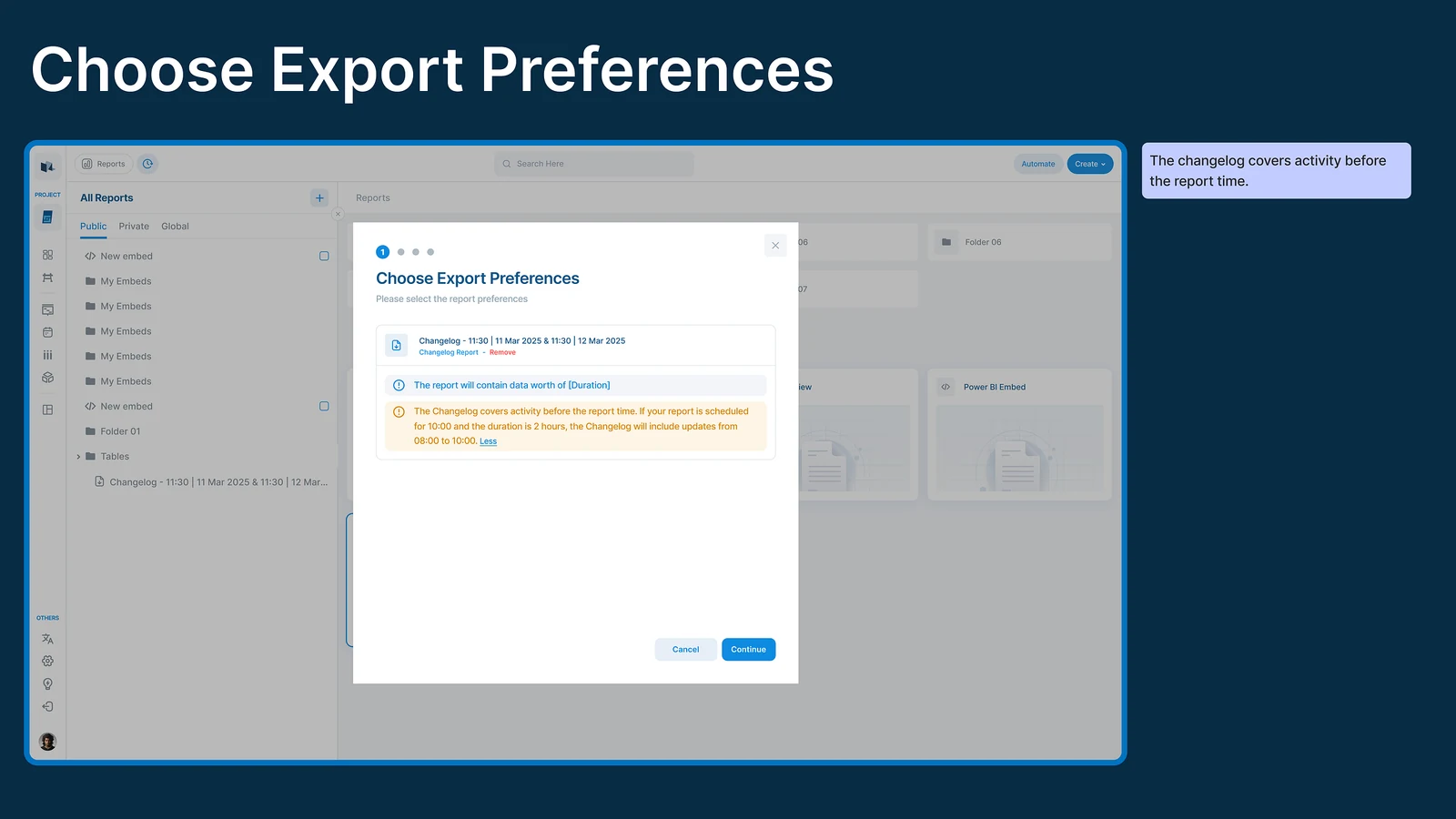
First, be clear about what it covers. A changelog reports on the time before it runs, which is the one thing people get wrong. So the screen says it plainly: a report at 10:00 covering two hours contains everything from 08:00 to 10:00.
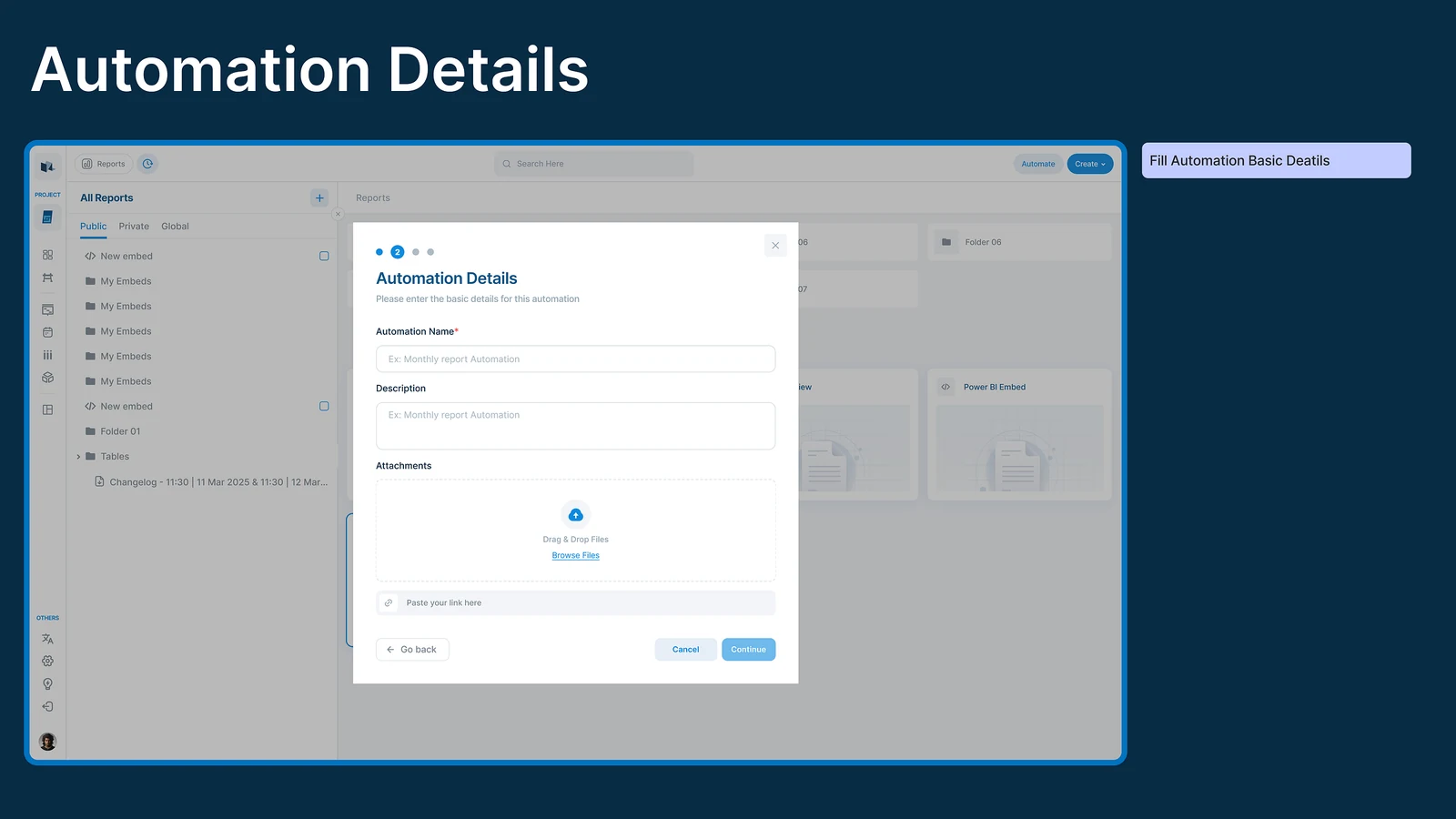
Then name it. A name, a description, and anything you want to attach.
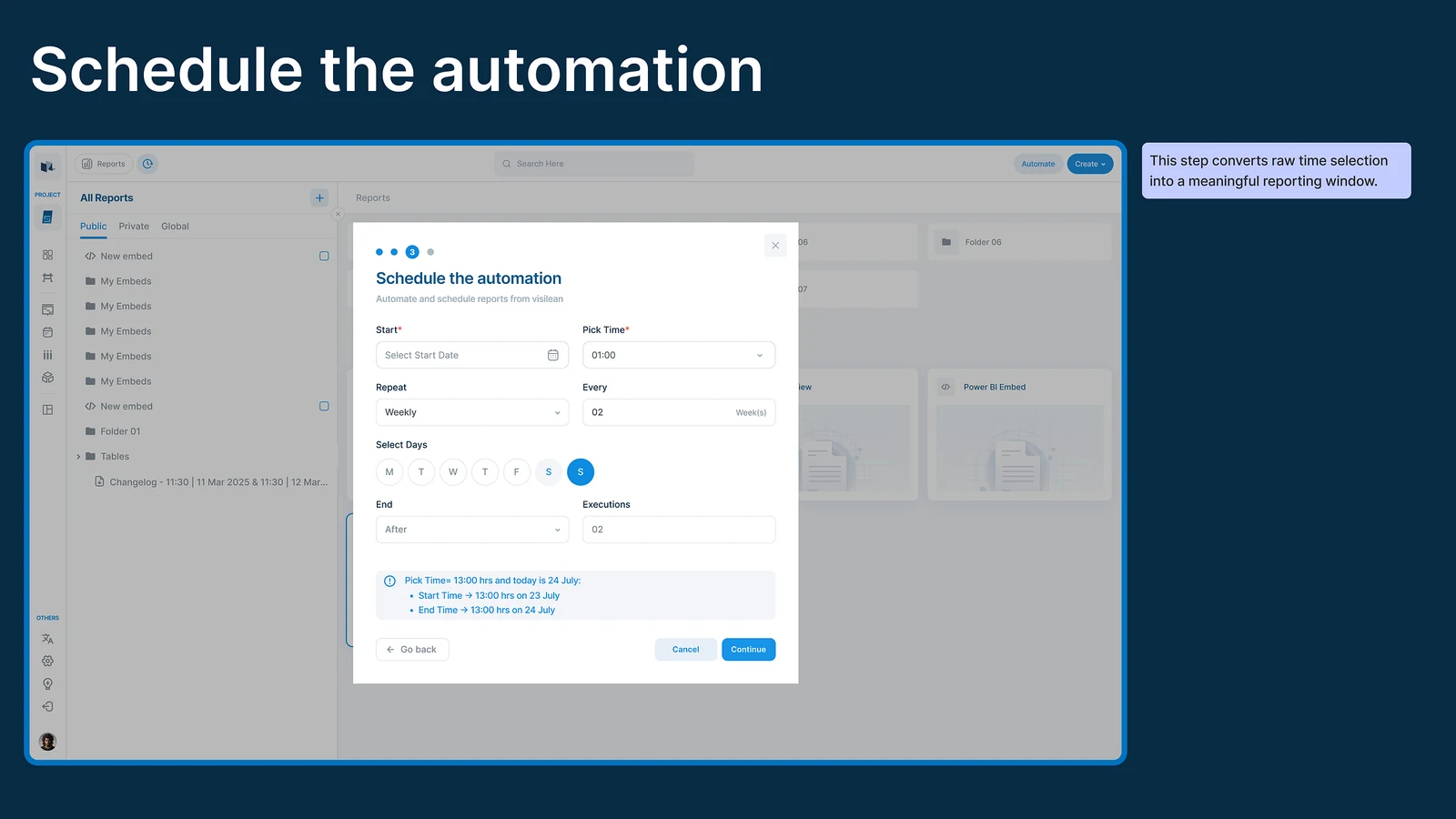
Then the timing, which is the real step. You choose when the report is made, when its window opens, and when it closes. This is where a couple of times turn into a reporting window that means something.
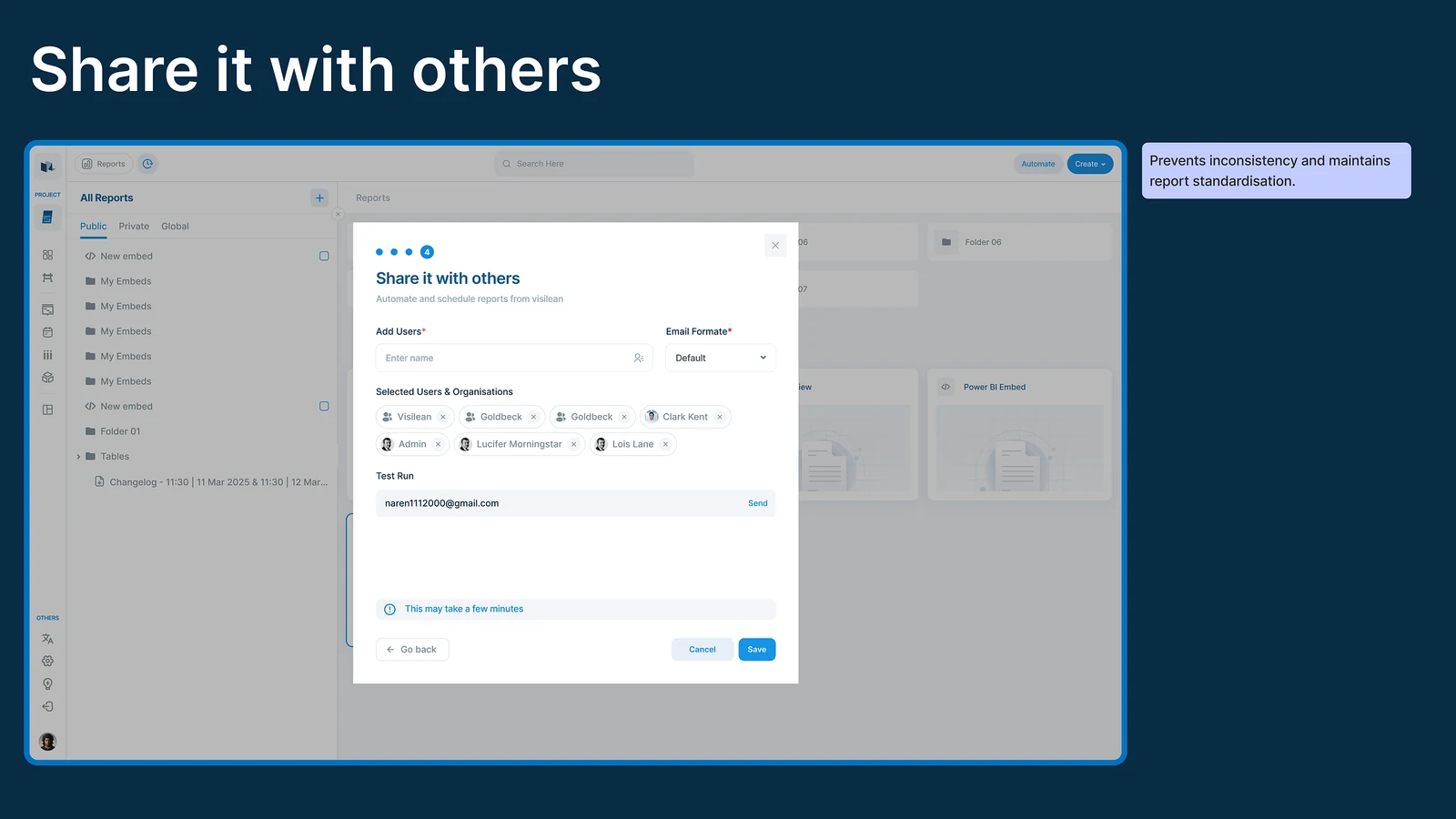
Then who gets it. Add people and the PDF arrives by email. They do not need a login, which is the whole point: the people who most need the summary are often the ones without an account.
What the PDF contains
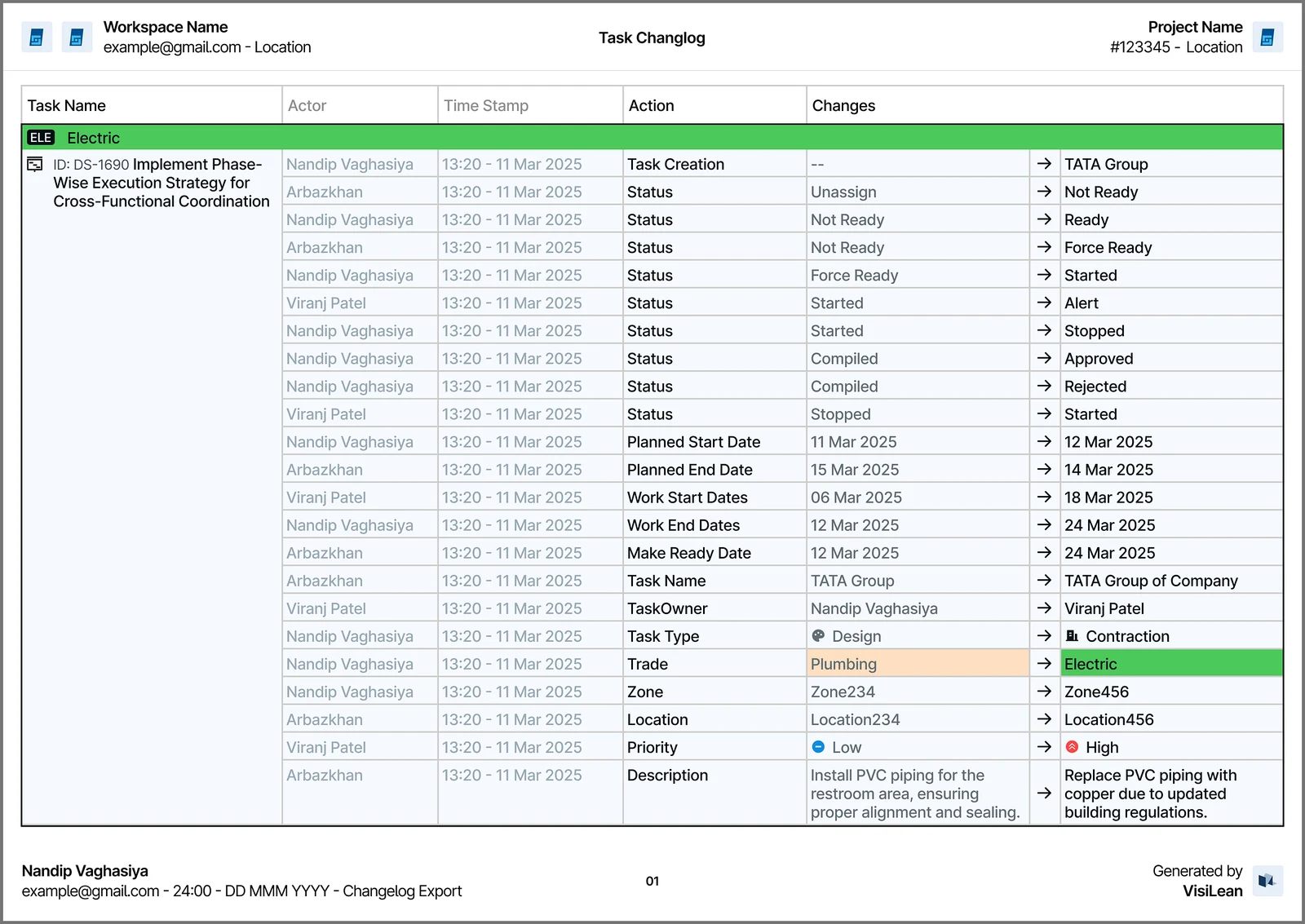
The workspace and project, then for every change: who did it, when, what they did, and the value before and after, colour coded so a change is visible at a glance.
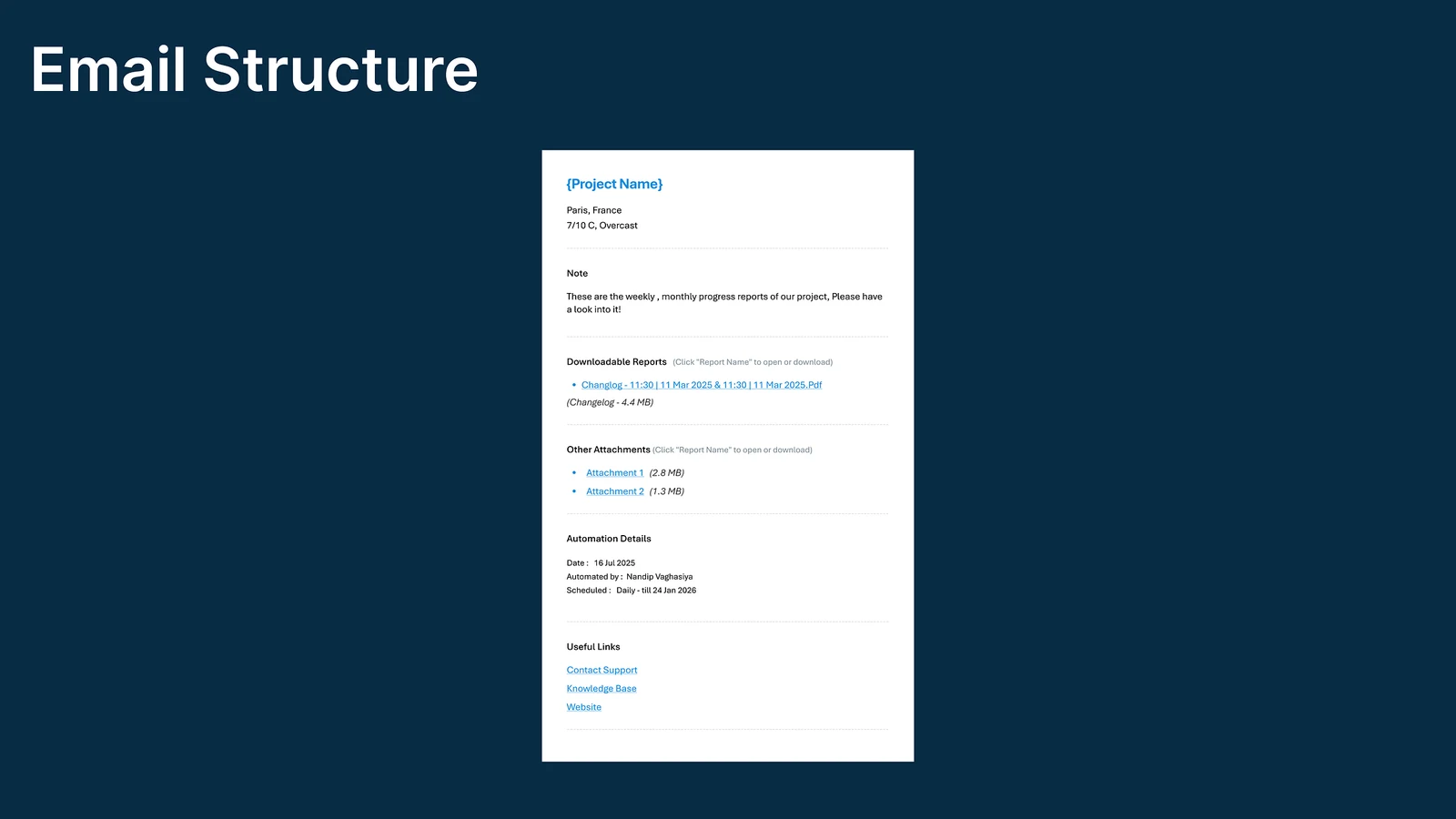
What the email contains
The project it belongs to, a download link, any attachments, what generated it, and where to get help. Built to be glanced at, not read.
What I ruled out
Letting people name their own reports. This one I actually built before removing it. The moment three people name reports their own way, the folder becomes unsearchable and nobody can tell two similar reports apart. The generated name is duller and it is the reason the archive stays usable.
A live activity feed. Every platform has one, and nobody reads it. A feed is the raw log with nicer styling. It has the same problem the log had: no shape, no end, nothing you could hand to somebody.
A daily digest of everything. Easier to build and worse to receive. A report that always arrives and always contains everything gets filtered to a folder within a fortnight. The window has to be something a person chose.
Derived, not written
Procore and Autodesk Build both have daily logs, and both are things somebody fills in. The report exists because a person sat down and wrote it, which means it reflects what they remembered.
This works the other way round. The changes were already recorded as people did their work, so the report is derived rather than written. Nobody has to remember anything, and the report cannot disagree with the system it came from.
What was in scope, and what was not
In: the manual export, the saved report, the automation with its timing window, the PDF, and the email to people without a login.
Out: anything resembling a reporting suite. No custom charts, no query builder, no dashboards. The feature answers one question, which is what changed in this window, and stops there. A general reporting tool would have been a much larger product and a much worse answer to the meeting problem.
What it changed
Business impact
- Less time spent in the daily meeting
- Teams align faster
- An audit trail you can rely on
- Decisions are easier to see
Experience impact
- Nobody scrolls the log any more
- No manual reporting work
- A clear summary of what changed
- Delivery happens without being asked
What I would do next
Find out whether the meetings actually got shorter. That is the entire premise. It is measurable, nobody has measured it, and until somebody does, this is a well-reasoned guess.
Watch what people do with the window. The timing step is the one I expect to be got wrong most often. If most automations end up on the same settings, that should become the default and the step should disappear for everyone else.