Evercam: site cameras that stop unsafe work
Sites already have cameras, used mostly to look back after something has gone wrong. I connected them to the plan, so a risk the camera spots becomes a constraint a person confirms, and the unsafe work stops.
- VisiLean
- Product design, interaction design, prototyping
- 1 February 2026
- 7 min
Construction sites already have cameras. They are mostly used to look back at something after it has gone wrong. This connected them to the plan instead, so a risk the camera spots turns into something that actually blocks unsafe work.
If a risk is visible, someone should be able to act on it. Not just file it.
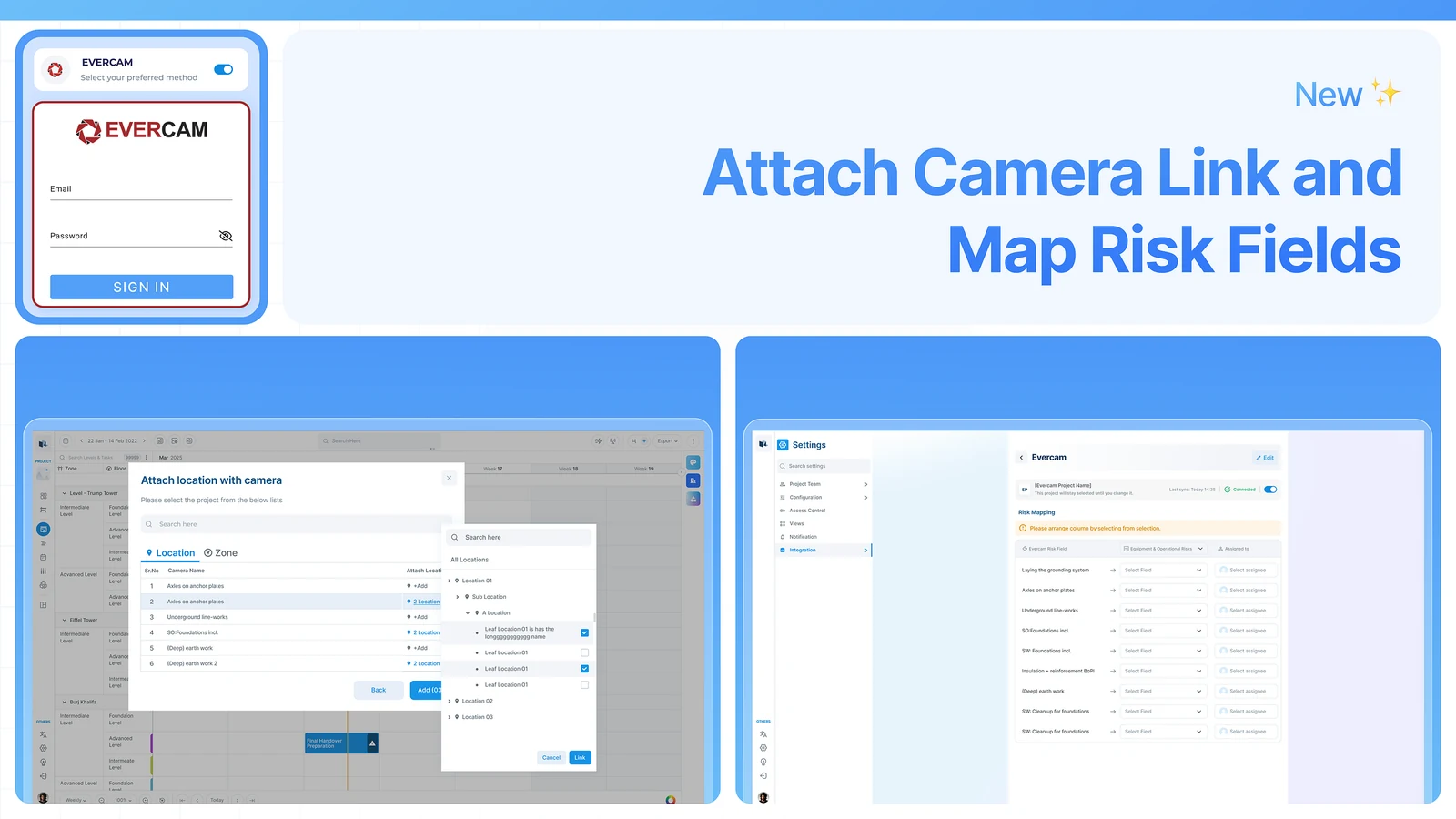
Risks get written up after they happen
Sites are dangerous places, and the danger is ordinary rather than dramatic:
- People moving where they should not be
- Equipment used the wrong way
- Work happening in a zone that is closed
- Two trades arriving in the same place at once
The usual way of catching these has the same shape every time. Somebody notices, usually after the fact, and writes it up by hand. It depends on a person being in the right place at the right moment.
Cameras were already on site, but only for watching, security, and looking back after an incident.
Nothing connected what the camera saw to what the plan said.
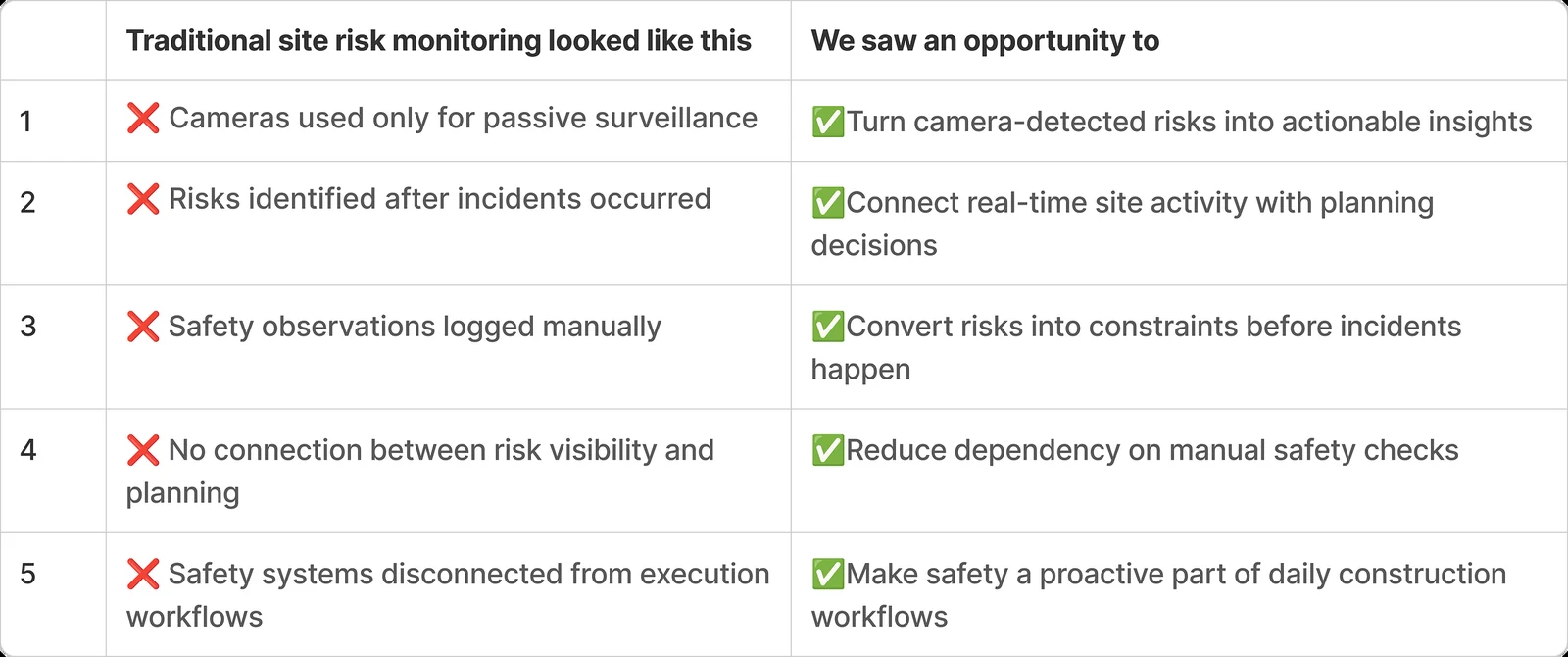
The camera feed was never the gap
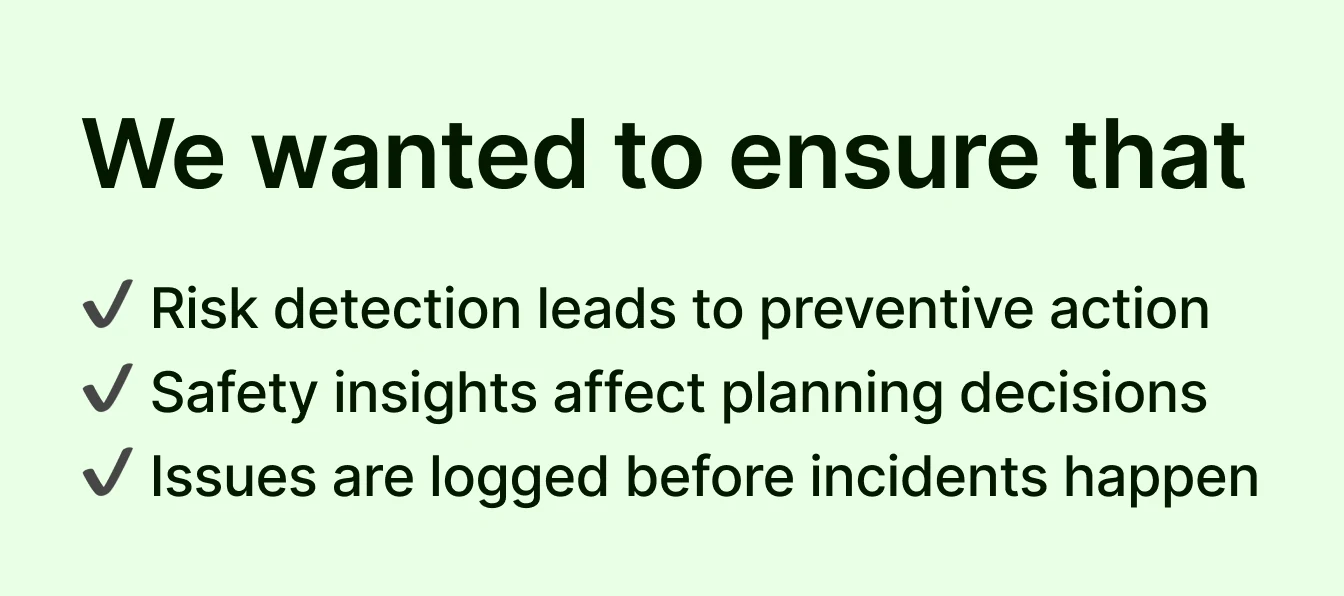
The job was not to add a camera feed to the product. It was to connect what the camera sees to the work people are already planning.
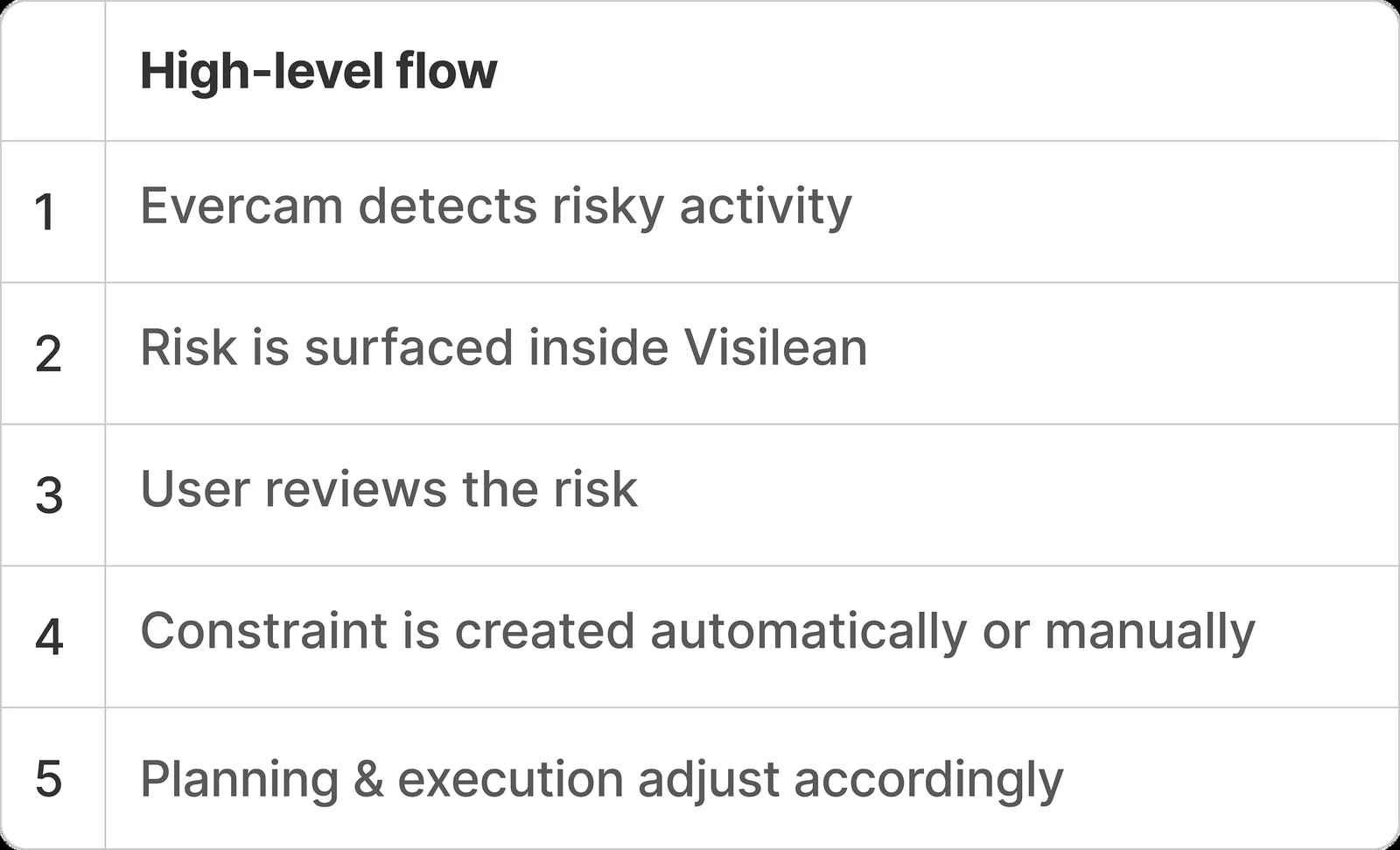
Each step is an object the product already had. The integration is the line between them, not a new thing to learn.
A detected risk lands on the task it affects
Evercam detects it, VisiLean shows it on the task, a person reviews it, and only then does a constraint change the plan.
Who acts on a risk
From a spotted risk to blocked work
That closes the loop between seeing something and doing something about it.
Eight places a risk shows up
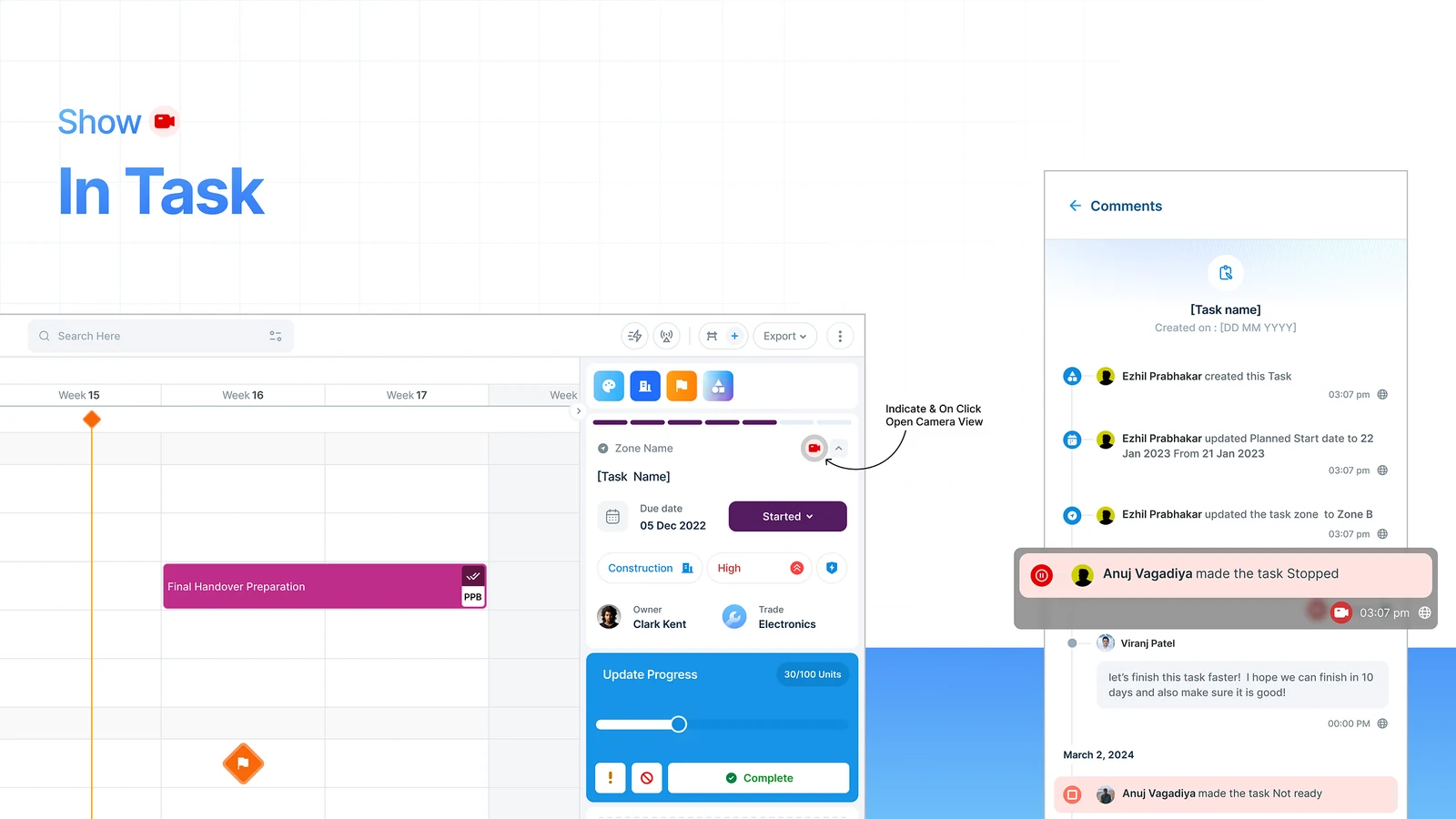
1. Risks show up on the task
Risk signals appear inside the task itself, so nobody has to go and check a camera separately.
- A risk marker sits on the task it belongs to
- You can see where it happened and when
- The context is there without leaving VisiLean
2. You can add a risk yourself
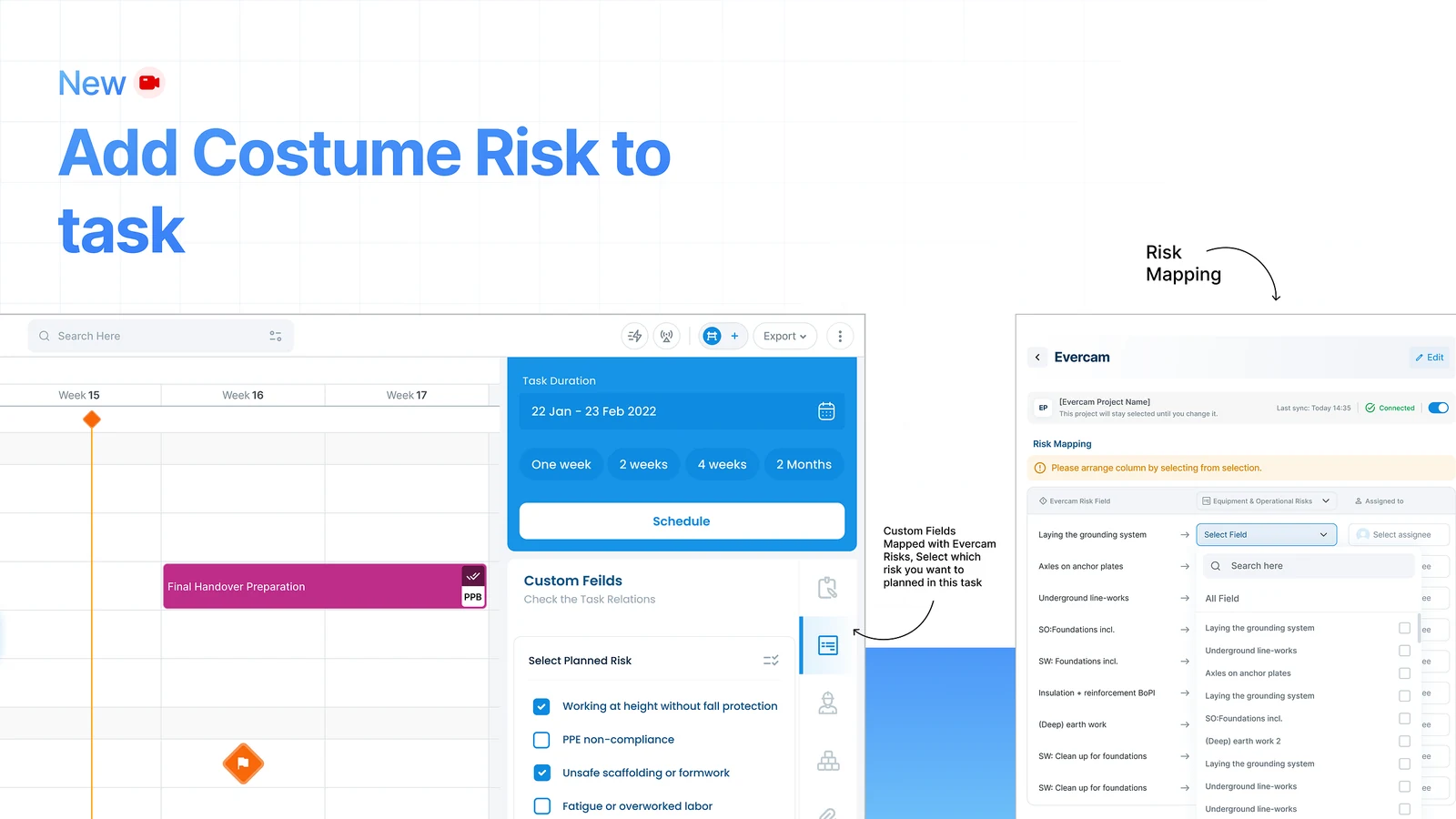
A camera cannot see everything, so people can add their own.
- Add a risk to a task by hand
- Say what kind it is and describe it
- Attach anything that helps
This matters because judgement catches what detection misses, and plenty of risks have nothing to do with what a camera can see.
3. A risk becomes a constraint
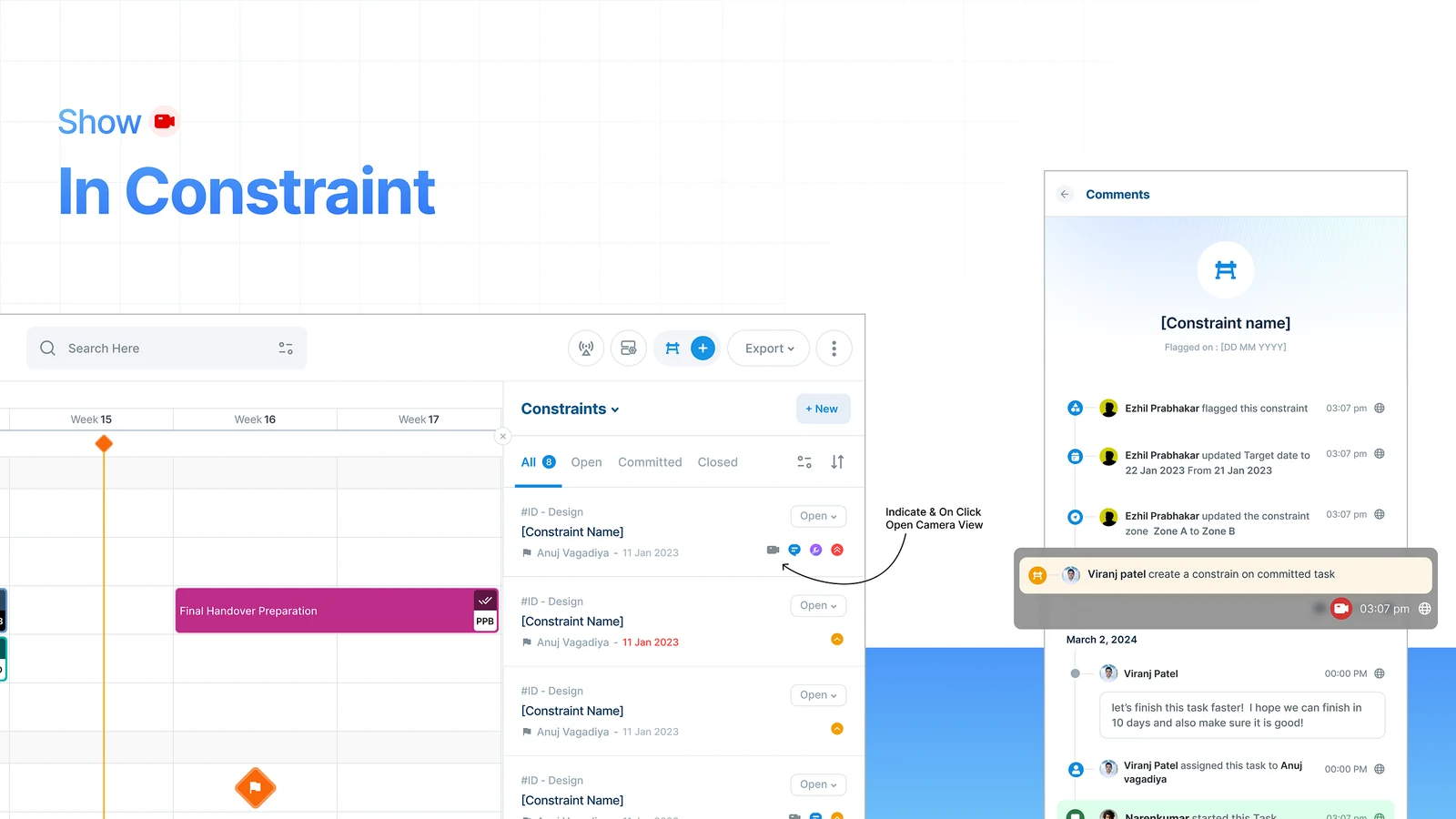
This is the part that does the work. From a risk you can create a constraint, which is VisiLean's word for something that blocks a task until it is dealt with. You link it to the task, the zone or the trade.
Once it is there, the unsafe work cannot proceed, and the plan shows why.
4. Risks appear in quality checklists
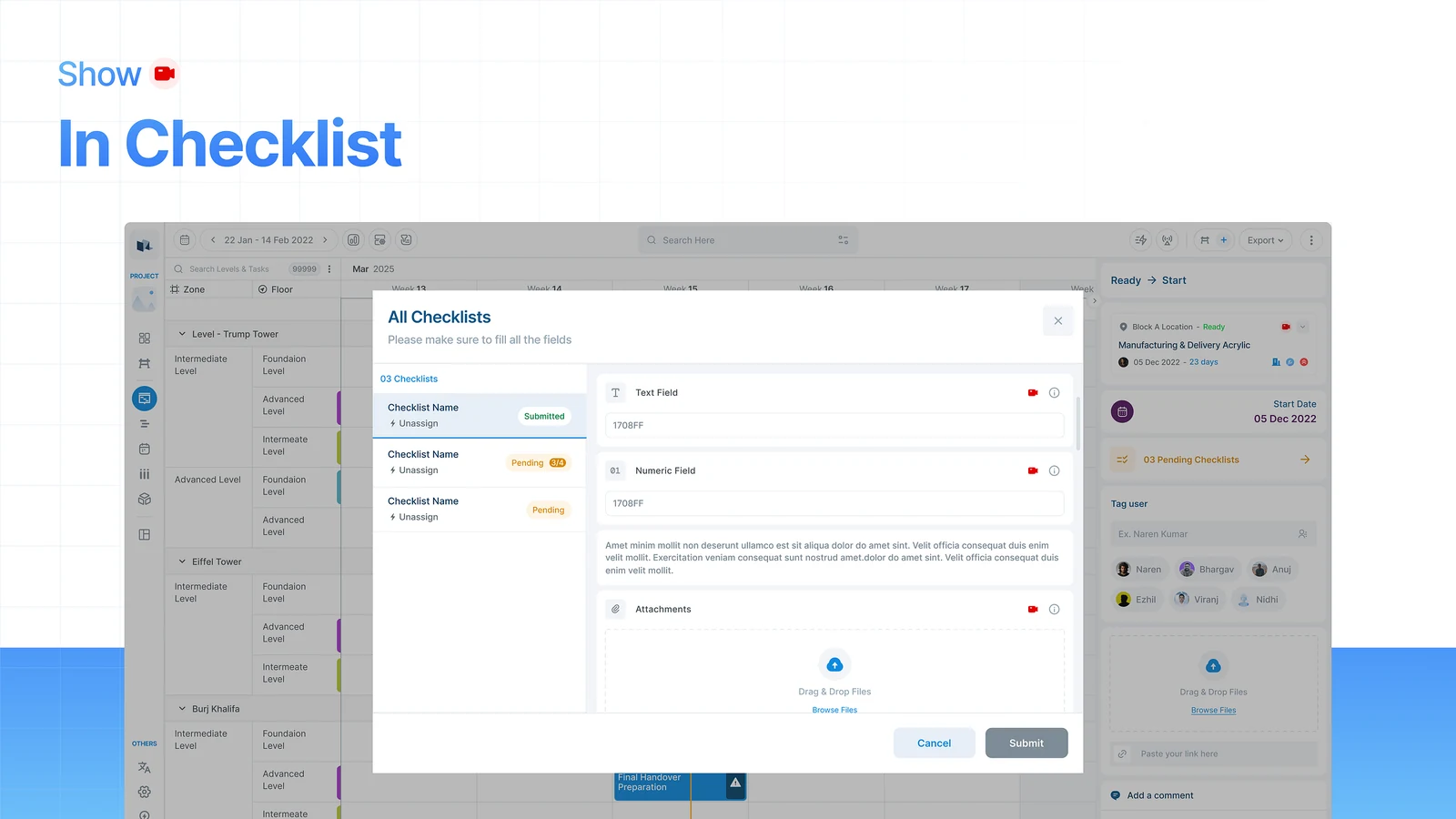
The same risks show up during inspections, so somebody checking quality can see what the site actually looked like rather than only what the form says.
5. One view of every risk
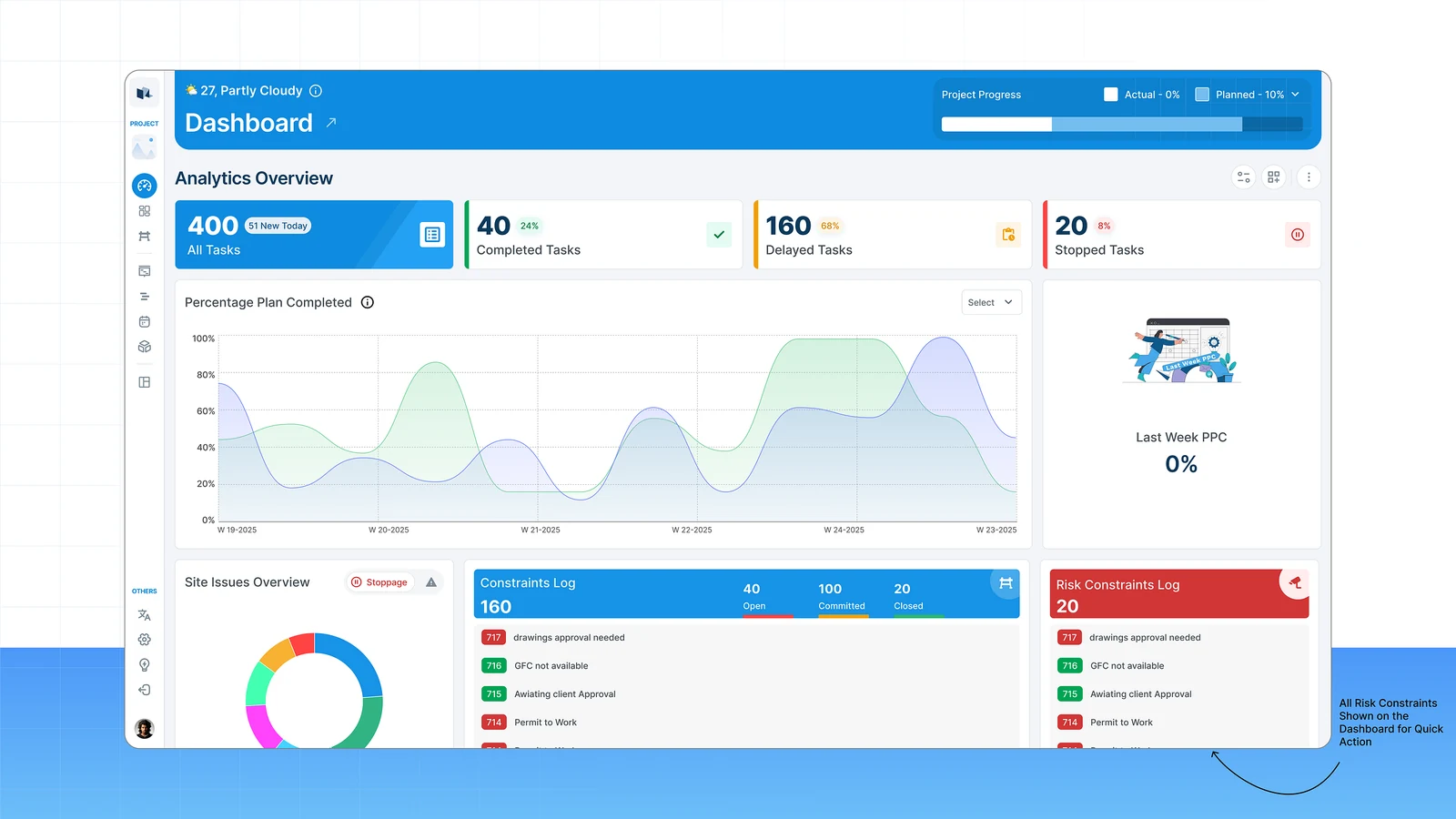
A dashboard collects active risks, recent detections, the zones with the most problems, and what is still waiting on someone. It saves opening tasks one at a time to find out.
6. The live panel
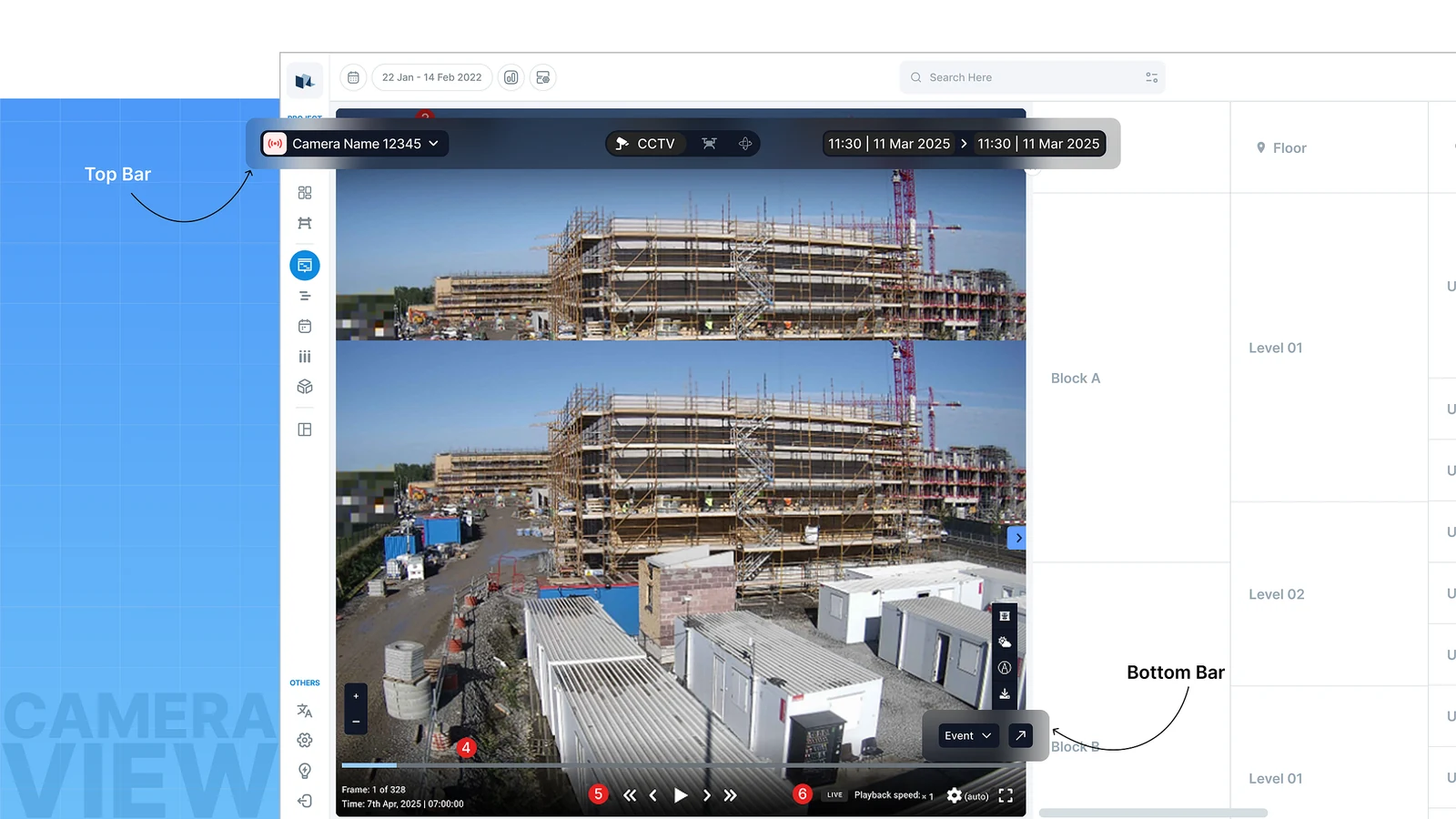
A camera panel opens down the left side, so you can watch the site without leaving the screen you were working on.
7. On the phone, the risk
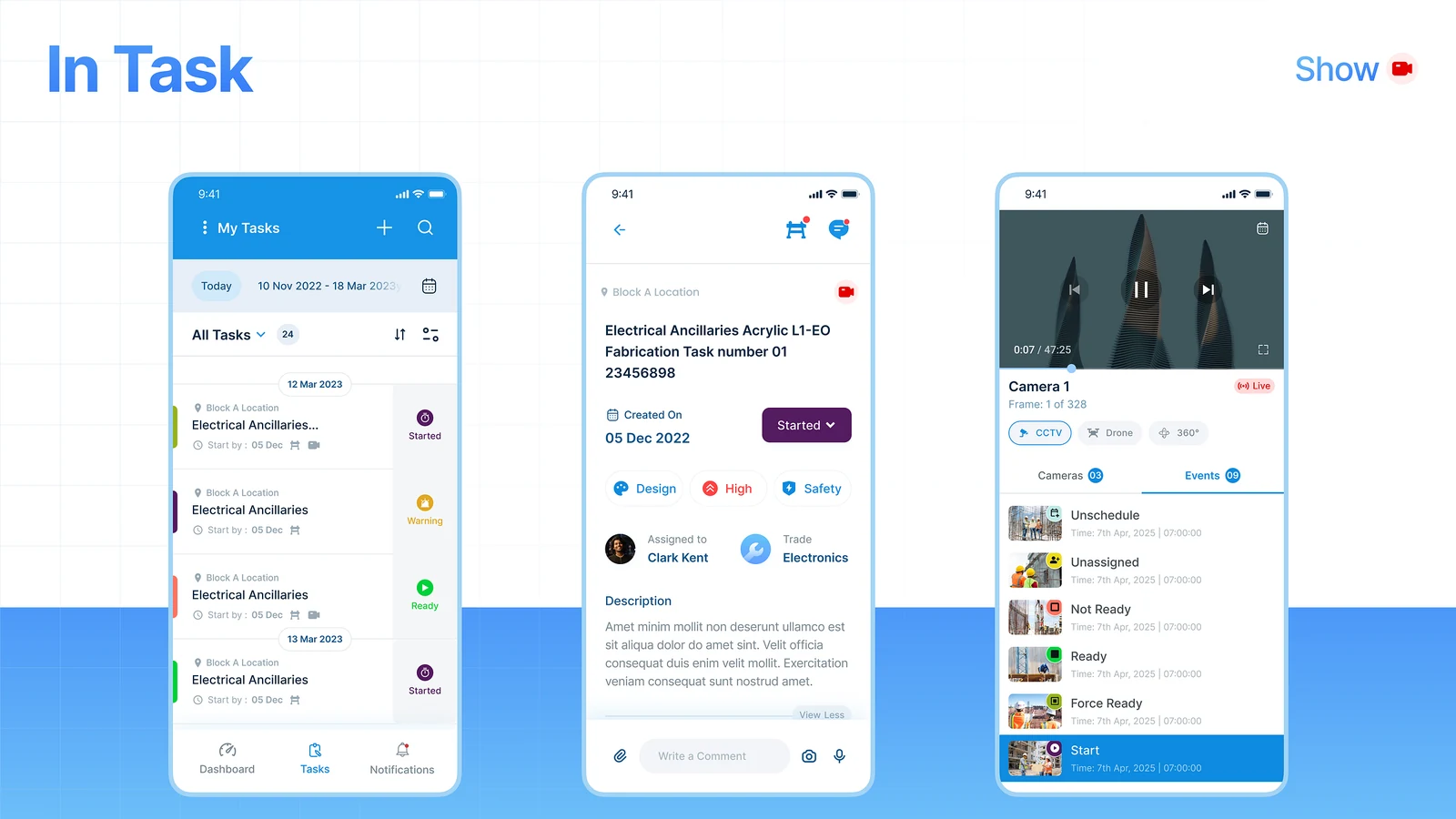
Site teams see tasks with their risks attached, so they can act where they are standing instead of going back to a desk.
8. On the phone, the constraint
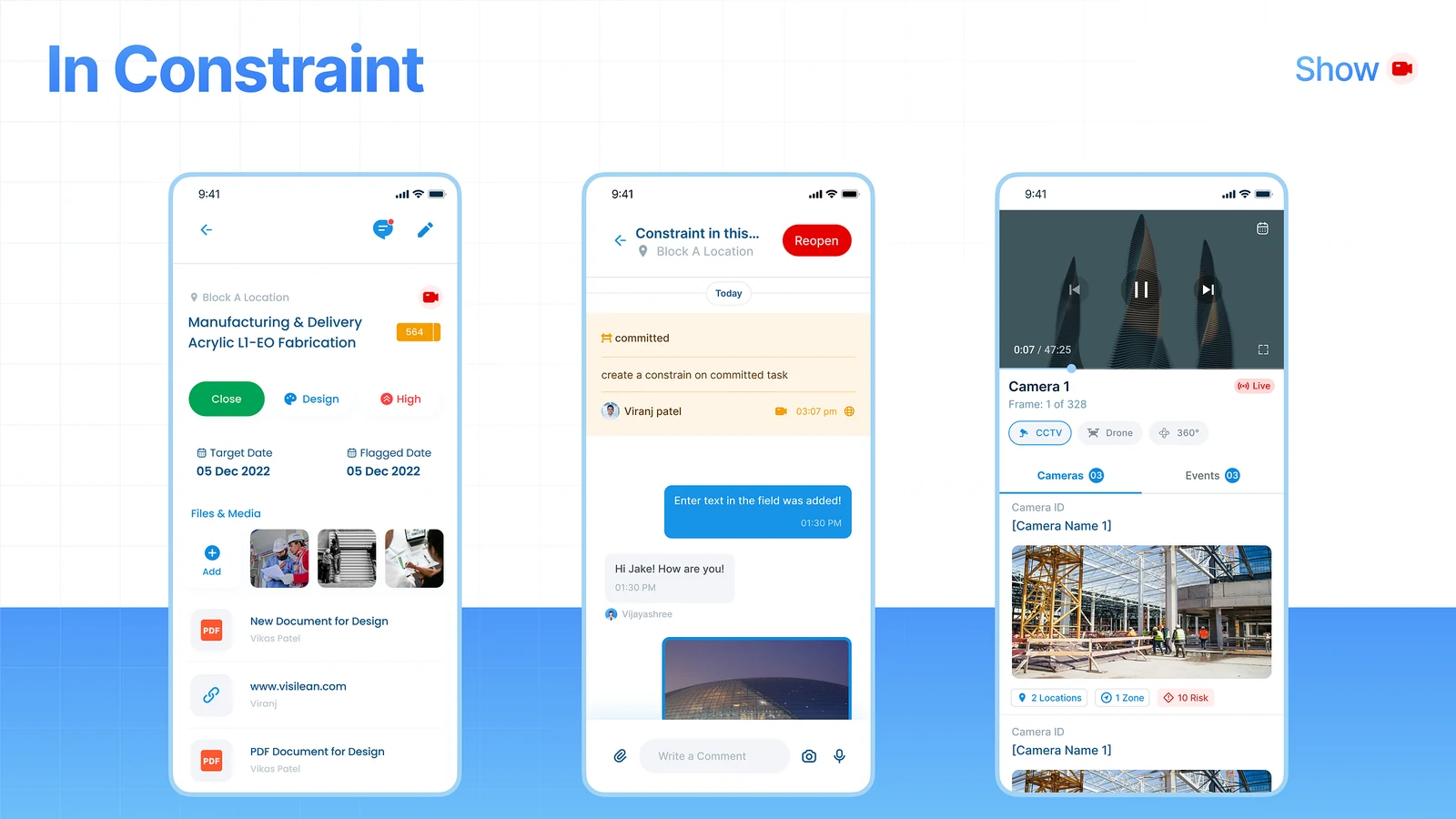
They also see constraints that came from a risk, which tells them why something is blocked and what has to happen next.
Three versions before the one that shipped
A risk that sends a notification. The simplest build, and the one most products do. It fails for a boring reason: a notification is read once, by whoever happens to be looking, and then it is gone. Nothing about the plan changes. The site carries on doing the unsafe thing.
A risk that creates a constraint automatically, every time. Tempting, and wrong. Camera detection is not certain. Auto-blocking work on every detection means the plan fills with constraints nobody agrees with, and within a fortnight somebody turns the integration off. A person confirms, because a person is accountable for stopping work.
A camera module sitting beside the planning module. This is how most platforms bolt cameras on. It is easy to build and nobody opens it. If the risk does not appear where the work is planned, it may as well not exist.
Other tools log a risk. This one changes the plan.
Procore, Autodesk Build and Fieldwire all have safety observation features. They are logging tools: somebody records that a thing happened, it goes into a report, and the report is read later by somebody who was not there.
What is different here is not the detection. It is that a detected risk can change the plan. The observation and the schedule are the same system rather than two systems that get reconciled in a meeting.
What was in scope, and what was not
In: risks on tasks, adding risks by hand, creating constraints from a risk, risks inside quality checklists, the dashboard, the live panel, and both mobile views.
Out, deliberately: the detection model itself, which is Evercam's, not mine. And automatic constraint creation, for the reason above. The design assumes detection will sometimes be wrong and puts a person in the loop rather than pretending it will not.
Why the constraint is the point
A risk on its own is just information. A risk attached to a constraint is the thing that stops the work.
What it changed
Safety impact
- Risky activity is spotted early
- Action comes before the incident
- Less reliance on somebody happening to look
Operational impact
- Faster response to what is happening on site
- Safety and planning finally coordinate
- Fewer disruptions at the last minute
Product impact
- A stronger safety position for VisiLean
- Camera data becomes something you can act on
- Separation from planning only tools
What I would do next
Find out how often the detection is wrong. Everything in this design assumes a person filters the noise. If the false positive rate is high, the confirmation step becomes the bottleneck and the whole thing needs rethinking around triage instead.
Close the loop. Right now the product can show that a constraint was created. It cannot yet show whether the unsafe work actually stopped. That is the number that would prove this works.